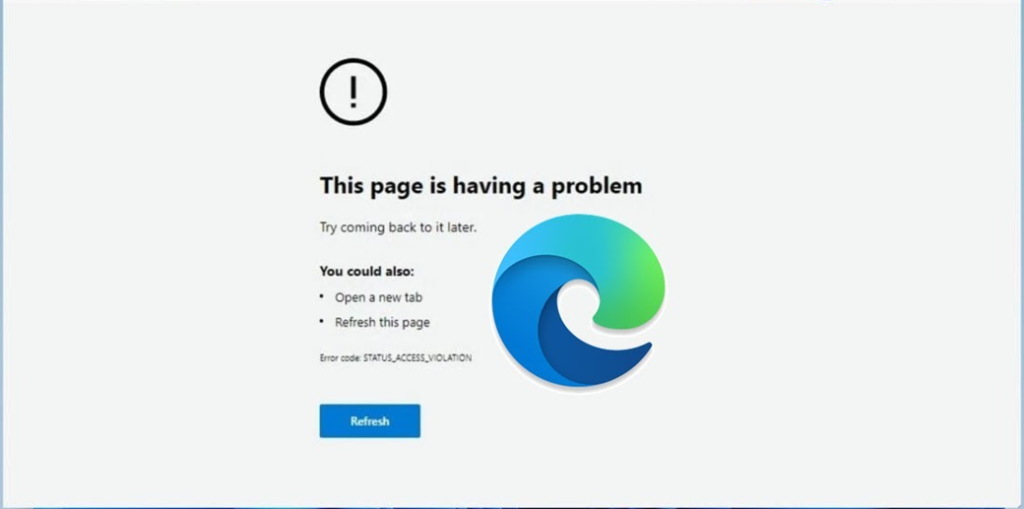
STATUS_ACCESS_DENIED in Microsoft Edge means the browser process was refused access to something it needed — a file, a folder, or a resource on a page. It is not the website telling you no; it is Windows telling Edge no.
That distinction determines the fix, and it is why “clear your cookies” advice so often fails here.
Checked August 2026 against current Edge on Windows 11 and Windows 10.
What causes it
- Security software blocking Edge’s sandbox. The most common cause by a distance. Third-party antivirus and endpoint agents interfere with the renderer processes.
- A corrupted browser profile. Edge cannot read its own data.
- Permissions on the Edge user data folder being wrong, often after a restore or a profile migration.
- Group Policy or a proxy on a managed machine.
- A damaged extension.
1. Quick checks
- Try an InPrivate window (Ctrl + Shift + N). If the page loads, the cause is your profile or an extension.
- Try another browser. If Chrome loads the same page, the problem is Edge, not the site or the network.
- Try a different profile from the picture menu at the top right.
Those three tests narrow it down before you change anything.
2. Clear cache and cookies
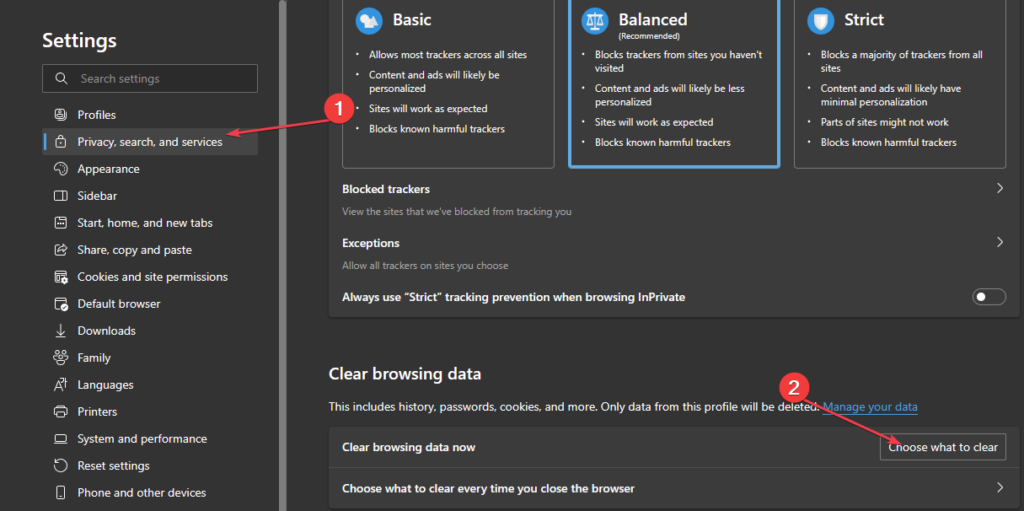
- Press Ctrl + Shift + Delete.
- Set the range to All time.
- Tick Cookies and other site data and Cached images and files.
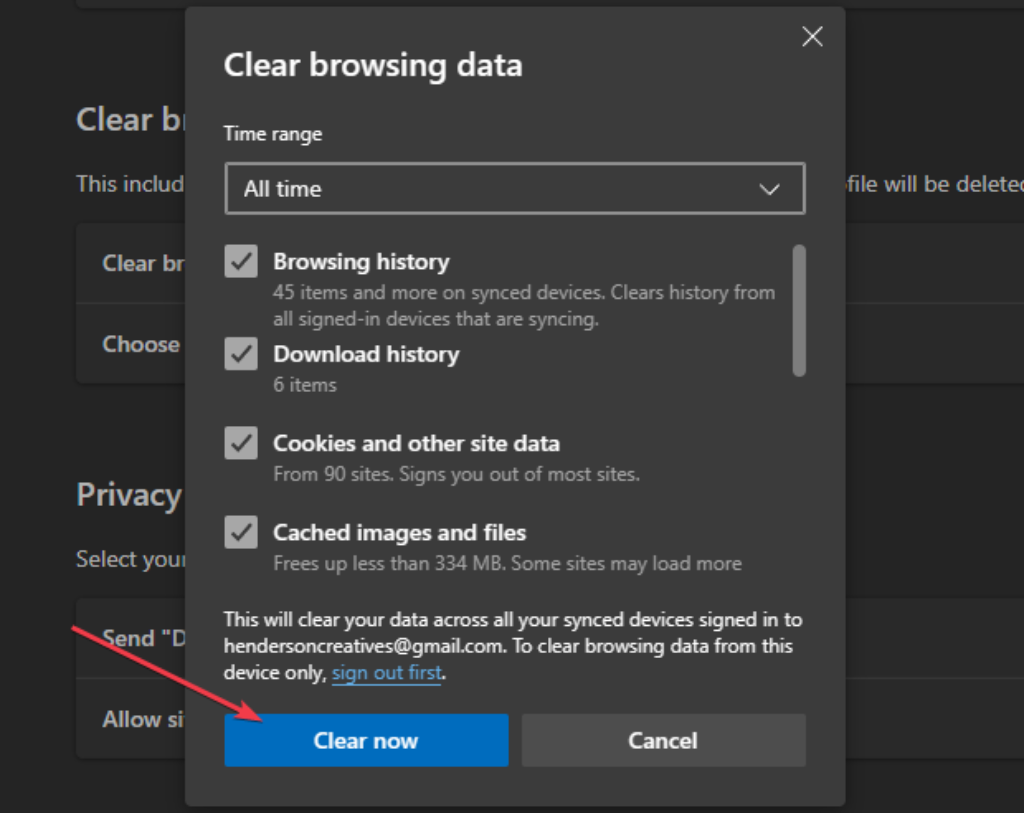
- Select Clear now and restart Edge.
3. Turn off extensions
- Go to
edge://extensions. - Turn them all off.
- Restart Edge and test.
- Re-enable them one at a time to find the culprit.
4. Check your security software
Edge runs page content in sandboxed child processes. Security products that inject themselves into browsers frequently break that, and access-denied is the usual symptom.
- Temporarily disable real-time protection in your third-party antivirus.
- Test.
- Turn it back on immediately.
If that was the cause, update the security product first — this is usually a known incompatibility with a fix already shipped. Add an exclusion for Edge only if updating does not help.
Two settings worth checking specifically:
- Microsoft Defender’s Controlled folder access: Windows Security → Virus & threat protection → Manage ransomware protection. It blocks writes to protected folders and reports access denied.
- Any “browser protection” or “safe browsing” module in a third-party suite.
5. Fix the user data folder permissions
If Edge cannot read its own profile, this is the fix. Close Edge entirely first, then from an elevated Command Prompt:
icacls "%LOCALAPPDATA%\Microsoft\Edge\User Data" /grant "%USERNAME%":(OI)(CI)F /TThis grants your own account full control over Edge’s data folder, inherited by everything inside it.
Grant permission to your own account, never to Everyone. Advice to give Everyone full control circulates widely for access-denied errors and is bad advice — it makes the folder writable by any process on the machine. See error 0x80070005 for more on this pattern.
6. Create a fresh profile
A corrupted profile is common and easy to rule out:
- Select your profile picture at the top right → Add profile.
- Choose Sign in to sync data, or start without signing in.
- Test in the new profile.
If it works, the old profile was the problem. Sign in to sync bookmarks and passwords across, then remove the old one.
7. Reset Edge
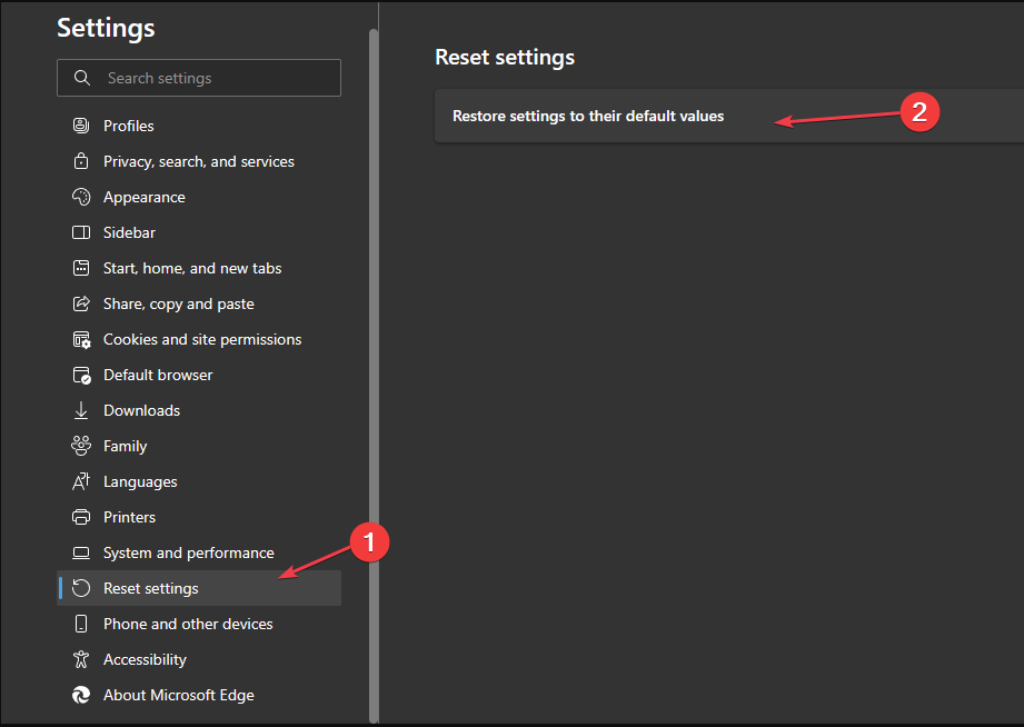
- Go to
edge://settings/reset. - Select Restore settings to their default values.
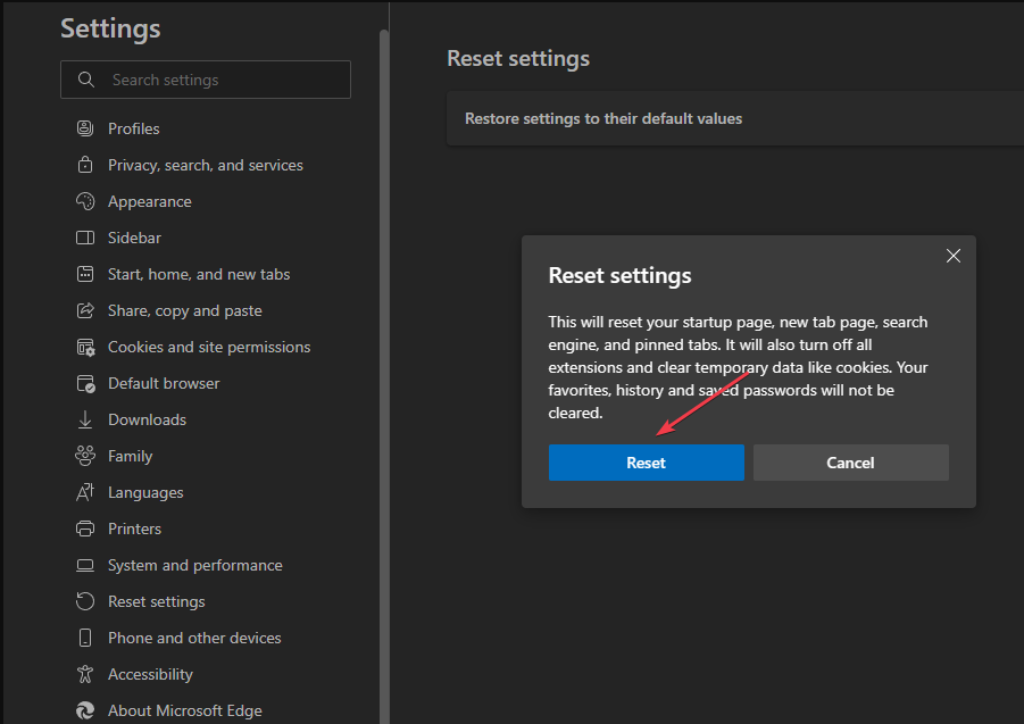
This resets the start page, new tab page, pinned tabs and search engine, and disables extensions. Favourites, history and passwords survive.
8. Repair or reinstall Edge
- Settings → Apps → Installed apps.
- Find Microsoft Edge, open the three-dot menu → Modify.
- Choose Repair. This redownloads and reinstalls Edge, keeping your data.
9. Repair Windows itself
If several applications show access-denied errors, the problem is not Edge. From an elevated prompt:
DISM /Online /Cleanup-Image /RestoreHealth
sfc /scannow
On a work machine
Check edge://policy. If policies are listed, the machine is managed and the block may be deliberate — URL allow-lists, proxy configuration and extension restrictions all produce access denied. That is IT’s to change.
Frequently asked questions
What does STATUS_ACCESS_DENIED mean?
A Windows-level access denial reported by Edge: the browser process asked for something and the operating system refused. It is not the website rejecting you.
Why only on some sites?
Often a specific resource that Edge is trying to cache or write, or a browser extension that only acts on certain pages. Test in InPrivate — extensions are off there by default.
Should I switch to Chrome instead?
It will tell you whether the problem is Edge-specific, which is useful. But Chrome and Edge share the same engine, so this is a diagnostic step rather than a fix — a permissions or antivirus problem often affects both eventually.
Is my antivirus really the cause?
Frequently, yes. Edge’s sandboxing and injected security modules interact badly, and this error is one of the usual results. Test by disabling protection briefly.
Will resetting Edge delete my favourites?
No. A reset keeps favourites, history and saved passwords. It resets settings, pinned tabs and the search engine, and disables extensions.