Disclosure. HowFixes publishes browser extensions of its own, including some in this category. We do not name or link to them here, because a page about how to judge a VPN extension is not the place to point you at our own. Nothing on this page is a paid placement, and nobody pays us for a mention.
A free browser VPN extension is not a VPN in the sense most people mean. It is a browser proxy: it changes where your browser traffic appears to come from, and does nothing for anything else on your computer.
That difference determines what these are useful for, and where trusting one is a genuinely bad idea.

Checked August 2026. Extensions in this category change ownership and behaviour frequently — the guidance below is about how to evaluate one rather than which to install.
Extension or full VPN?
| Browser extension | Full VPN app | |
|---|---|---|
| Covers | That browser only | The whole device |
| Other apps, games, updates | Not covered | Covered |
| Setup | One click | Install and sign in |
| Typical cost | Free tiers common | Subscription |
| Speed | Often slower | Usually faster |
The row that catches people out is the second. With only an extension running, your email client, your games and your system updates all connect normally, from your real address. If your reason for wanting a VPN is that your whole connection should be private, an extension does not do that.
What free extensions are reasonably good for
- Reading a site blocked at the DNS level in your country or by your ISP.
- Testing how a site looks from elsewhere — useful for anyone building or checking a website.
- Hiding browsing from other devices on a shared local network, such as a café.
- Casual price comparison across regional storefronts.
What they are not good for
Do not rely on a free browser VPN for anything where being identified matters. Not for journalism, not for activism, not in a country where what you are reading could get you in trouble. The threat model those situations require is not one a free browser extension meets, and treating it as though it does is how people get hurt. Tor Browser exists for exactly this, and it is free.
Also worth knowing:
- Streaming services detect and block them, more effectively every year. A free tier is the first thing they block.
- They do not make you anonymous to sites you sign in to, which is most of them.
- They do not stop browser fingerprinting.
How free VPNs pay for themselves
Servers and bandwidth cost real money. If you are not paying, something else is covering it. In this category that has historically meant:
- Selling browsing data to advertisers or data brokers.
- Injecting or replacing adverts in pages you visit.
- Rewriting affiliate links so purchases credit the operator.
- Selling your idle bandwidth as an exit node for someone else’s traffic — which means other people’s activity comes from your address.
- Upselling to a paid tier, which is the legitimate model.
That last one is the only one that is fine. The others have all been documented in real products with millions of installs. When evaluating a free VPN, the honest question is not “is it fast” but “how does this one make money”.
How to check one before installing
1. Read the permissions
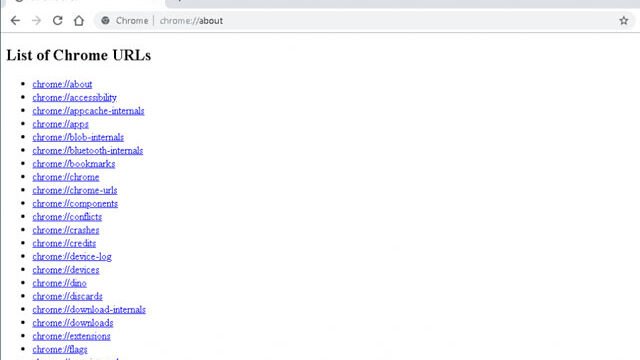
A VPN extension needs broad access by nature. What it does with it is the question. After installing, go to chrome://extensions or edge://extensions → Details and read Site access.
2. Identify the publisher
Is there a company with a website, a physical address, and a privacy policy naming a legal entity? An anonymous publisher with a million users is the profile that gets bought — and extensions are updated silently on machines that already have them installed.
3. Read the recent reviews
Sort by newest and read the one-star reviews. A long run of praise followed by a sudden cluster of complaints about injected adverts or redirects is the signature of a change of ownership.
4. Check the logging policy properly
“No logs” is marketing language and appears on the listing of services later found to be logging. What to look for instead: a named jurisdiction, a specific statement of what is and is not retained, and ideally an independent audit. Absence of all three means the claim is unverified.
5. Test for leaks
Once connected, visit a DNS leak test site. If your real ISP’s DNS servers appear, the extension is not doing what it claims.
Free alternatives that are not extensions

- Tor Browser — genuinely free, genuinely anonymous, noticeably slower. The right tool when it actually matters.
- Cloudflare WARP — free, covers the whole device, encrypts DNS. Not a VPN for changing country, but it does protect traffic on an untrusted network.
- Encrypted DNS — stops your ISP seeing which sites you look up, and takes two minutes. See how to change DNS servers.
- Free tiers of reputable paid VPNs — limited data, but from a company with a name, a policy and something to lose.
Frequently asked questions
Are free VPN extensions safe?
It depends entirely on the publisher. The extension necessarily sees your browsing; the question is what it does with that. Check the publisher, the policy and the recent reviews before installing any of them, including ours.
Does a VPN extension protect my whole computer?
No. Only that browser. Other applications connect normally from your real address.
Will it work for streaming?
Rarely, and less each year. Streaming services actively detect and block VPN addresses, starting with free ones.
Does a VPN make me anonymous?
No. It changes the address sites see. It does nothing about accounts you sign in to, cookies, or browser fingerprinting.
Is it legal to use a VPN?
In most countries yes. Some restrict or ban them. Using one to break a law remains illegal regardless.
Should I pay instead?
If you want whole-device coverage, reliable speed, and a provider with an auditable policy — yes. A free extension is a convenience tool, not a privacy guarantee.