Disclosure. HowFixes publishes browser extensions of its own, including some in this category. We do not name or link to them here — a page about how to choose a VPN extension is not the place to point you at our own. Nothing on this page is a paid placement, and nobody pays us for a mention.
Before choosing anything, one distinction settles most of the question: a Chrome VPN extension protects Chrome, not your computer. Everything else — other browsers, games, email clients, Windows Update — connects normally from your real address.
If that is what you want, an extension is a reasonable tool. If you expected whole-device privacy, you need an application instead.
Checked August 2026. This category changes constantly — extensions are bought, sold and silently updated. The guidance here is about how to judge one, which stays useful; a list of names would not.
What a free Chrome VPN actually does
Technically most are proxies rather than VPNs. Chrome’s traffic goes to their server, which forwards it on. Sites see the server’s address instead of yours.
What that achieves:
- Sites see a different country
- Your ISP cannot see which sites you visit in Chrome
- Others on the same local network — a café, a hotel — cannot see your browsing
What it does not:
- Cover any other application
- Make you anonymous to sites you sign in to
- Stop browser fingerprinting
- Reliably work with streaming services
- Protect you where being identified genuinely matters
Do not use a free browser VPN where being identified could cause you real harm. Journalism, activism, or reading something that is dangerous to read where you live — none of those are covered by a free extension, whatever its listing says. Tor Browser is free, is designed for exactly that threat model, and the only cost is speed.
How free VPNs are paid for
Servers and bandwidth cost money, so something covers it. In this category, documented models include:
| Model | Acceptable? |
|---|---|
| Free tier upselling a paid plan | Yes — the legitimate one |
| Advertising inside the extension | Usually fine if disclosed |
| Selling browsing data to brokers | No |
| Injecting or replacing adverts in pages | No |
| Rewriting affiliate links | No |
| Selling your bandwidth as an exit node | No — other people’s traffic leaves from your address |
Every one of the bottom four has been found in real extensions with millions of installs. The useful question when evaluating a free VPN is not “is it fast” but “how does this one make money” — and if the listing does not make that clear, that is itself an answer.
Checking an extension before you install it
- Identify the publisher. A named company, a working website, a privacy policy naming a legal entity. Anonymous publishers with large user counts are the ones that get acquired — and extensions update silently on machines that already have them.
- Read recent reviews, sorted by newest. Read the one-star ones. Years of praise followed by a sudden run of complaints about redirects or injected ads is the signature of a change of ownership.
- Check the permissions at
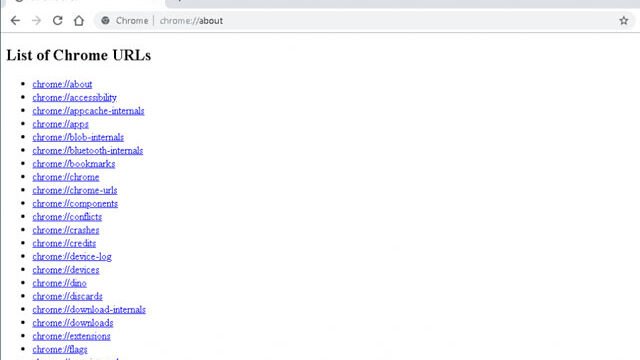
chrome://extensions→ Details. A VPN extension needs broad access by nature; what matters is who you are granting it to. - Look for a specific logging statement, not the words “no logs”. A named jurisdiction, a list of what is and is not retained, and ideally an independent audit. None of those three present means the claim is unverified.
- Test for leaks once connected — visit a DNS leak test site. If your own ISP’s DNS servers appear, the extension is not doing what it says.
See also free VPN extensions across browsers.
Installing and using one
- Install from the Chrome Web Store, never from a link in a search advert or a download site.
- Pin the extension so you can see whether it is connected — an extension you think is on but is not is worse than none.
- Choose a nearby server for speed, or a specific country if that is the point.
- Verify: search for “what is my IP” and confirm the location has changed.
- Check for DNS leaks.
When it does not work
- Sites still show your real location: check the extension is actually connected, and test for a DNS leak.
- A site blocks you: that address is on a blocklist. Try another server, or accept that streaming services actively detect these.
- Everything is very slow: normal for a free tier at peak times — traffic is concentrated on few servers.
- Some sites will not load at all: disable the extension for those, or turn it off while using them.
- Chrome feels heavy: press Shift + Esc for Chrome’s task manager. See how to speed up Chrome.
Alternatives worth knowing
- Tor Browser — free, genuinely anonymous, slower. The right answer when it matters.
- Cloudflare WARP — free, covers the whole device, encrypts DNS. Not for changing country, good on untrusted networks.
- Encrypted DNS — two minutes, stops your ISP seeing your lookups. See how to change DNS servers.
- A paid VPN — whole-device coverage, usable speeds, and a company with an auditable policy and something to lose.
- Nothing. If the goal is stopping tracking rather than changing country, a content blocker and third-party cookie blocking do more. See the Chrome privacy settings that matter.
Frequently asked questions
Is a free Chrome VPN safe?
It depends entirely on the publisher, because the extension necessarily sees your browsing. Check the publisher, the policy and the recent reviews — including for ours.
Does it protect my whole computer?
No. Chrome only. Other applications connect from your real address.
Will it work with Netflix or BBC iPlayer?
Usually not. Streaming services detect and block VPN addresses, and free ones first.
Does it make me anonymous?
No. Sites you sign in to know exactly who you are, and fingerprinting works regardless of your address.
Is using a VPN legal?
In most countries yes; some restrict or ban them. Using one to do something illegal remains illegal.
Free or paid?
Free is fine for casual use — a geo-blocked article, checking how a site looks elsewhere, browsing on café wi-fi. For whole-device coverage, reliable speed and a verifiable privacy policy, pay for it.