Clearing your browser history and deleting your Google search history are two completely different things. The first removes a list from your device. The second removes what Google has recorded against your account — which is the one people usually mean, and the one that keeps rebuilding unless you also turn the recording off.
Everything below happens at myactivity.google.com.
Checked August 2026. Google’s controls move and are renamed regularly. The paths below reflect the current layout; if a label differs, the corresponding setting is nearby.
Delete what is already recorded
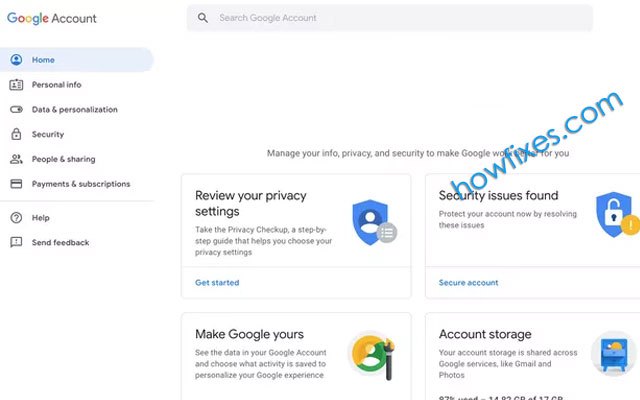
- Go to myactivity.google.com and sign in.
- Select Delete under the search box.
- Choose Delete all time, or a range.
- Confirm.
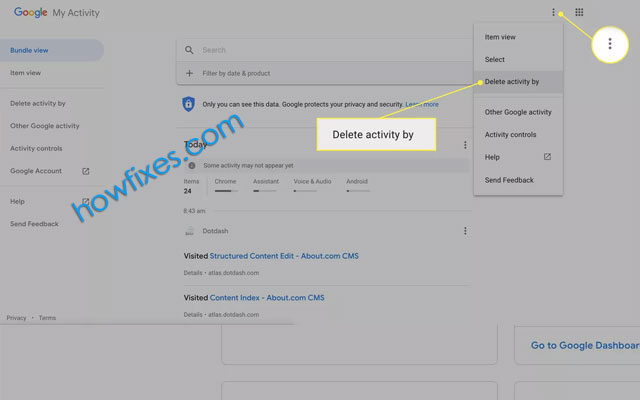
You can also delete selectively: filter by date and by product — Search, YouTube, Maps, Assistant and so on — and remove individual entries with the × beside each.
Stop it being recorded again
Deleting is a one-off. Without this step, the record starts rebuilding with your next search.
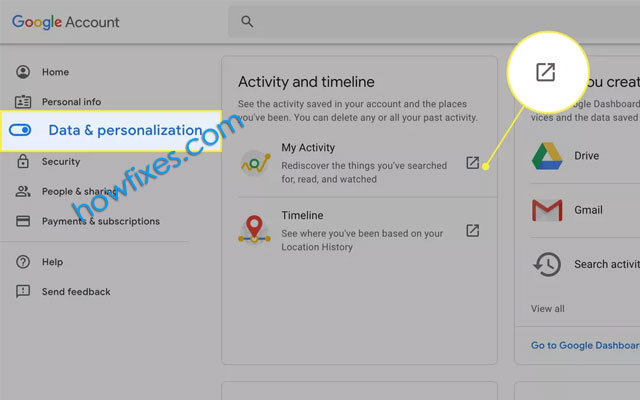
Go to myactivity.google.com/activitycontrols. Three controls matter:
| Control | What it records | Cost of turning it off |
|---|---|---|
| Web & App Activity | Searches, Chrome history when signed in, app and site use | Less useful autocomplete and personalisation |
| Location History (Timeline) | Everywhere your devices go | No Timeline; Maps still works |
| YouTube History | What you watch and search on YouTube | Weaker recommendations; no “continue watching” |
Turn off whichever you do not want. Each shows a confirmation explaining what changes.
Auto-delete, if you want to keep some usefulness
A reasonable middle ground: keep the personalisation benefit, limit how far back the record goes.
Under each activity control, choose Auto-delete and set 3 months, 18 months or 36 months. Three months is a sensible default for most people.
On Android
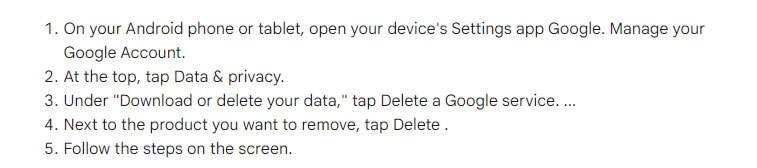
- Settings → Google → Manage your Google Account.
- Open the Data & privacy tab.
- Under History settings, open each control and turn it off or set auto-delete.
It is the same account setting as the web page, so changing it in either place applies everywhere.
What this does not cover
Worth being precise, because the gaps matter:
- Your browser’s own history is separate. See clearing browsing history automatically on exit.
- Your internet provider keeps its own records, which you cannot delete.
- Your employer or school, on their network, likewise.
- Other people’s copies. A search that led somewhere leaves traces on that site.
- Google Workspace accounts may have these controls locked by an administrator.
See everything Google holds
Two pages worth a look, separately from deleting anything:
- Google Dashboard — a summary of your data across every Google service.
- Google Takeout — export a full copy before deleting, if you want to keep it.
Also check My Ad Center, which shows the interests Google has inferred about you and lets you remove them.
Searching without any of this
If the aim is not to build a record in the first place:
- Sign out before searching. Activity is then not tied to your account, though other signals remain.
- Use a search engine that does not keep one — DuckDuckGo, Startpage, Brave Search.
- Use a private window, which prevents local recording but not account-level recording if you sign in.
Frequently asked questions
Does clearing my browser history delete my Google search history?
No. They are unrelated. Browser history is on your device; Google’s record is on your account. Both need clearing separately.
Is my search history really deleted?
Google states deleted activity is removed from your account and progressively from its systems. Aggregate and anonymised data may be retained, and some records are kept for legal or security reasons. Deletion is real but not necessarily absolute.
Will turning off Web & App Activity break anything?
Nothing breaks. Autocomplete becomes less useful, personalised results weaken, and Assistant loses some context. Search itself works normally.
Does deleting my history stop personalised ads?
Not by itself. Ad personalisation is a separate setting at My Ad Center.
Can I delete history for one device only?
No. Activity is stored per account, not per device. Filtering in My Activity narrows what you see, not what is stored.
What is the fastest way to keep this under control?
Set auto-delete to three months on Web & App Activity and YouTube History. It runs by itself and you never have to think about it again.