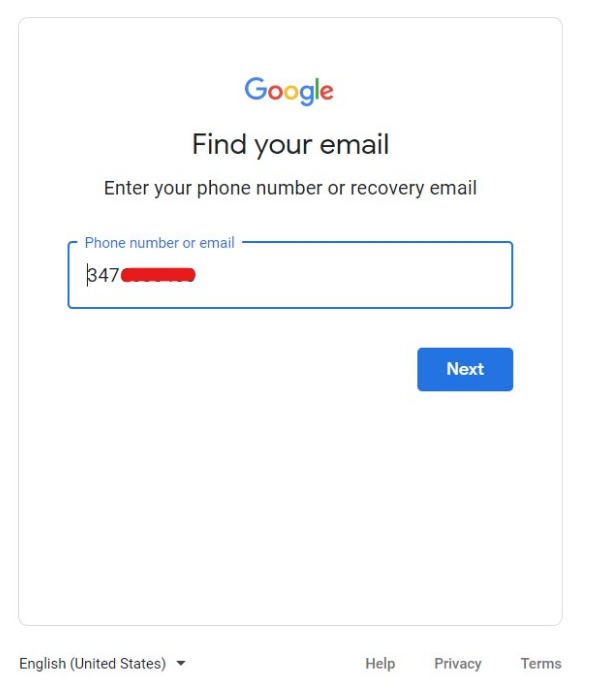
Google account recovery is a single form at accounts.google.com/signin/recovery. What determines whether it works is not which options you pick — it is how much Google can recognise about you.
Understanding that changes how you approach it, and it is why the most important advice below is about where and when you attempt recovery.
Checked August 2026. Google’s recovery flow changes wording regularly; the principles below are stable.
Give yourself the best chance
Do this before starting, because it materially affects the outcome:
- Use a device you have signed in on before — the same phone or laptop.
- Use the same browser you normally use, without clearing its cookies first.
- Use your usual network, at home or work.
- Turn off any VPN. Signing in from an unfamiliar country is exactly what the system treats as suspicious.
Google weighs familiarity heavily. The same answers from a recognised device on a familiar network succeed where they fail from a new machine on a VPN.
Work through the recovery form
- Go to accounts.google.com/signin/recovery.
- Enter the email address or phone number for the account.
- Follow whatever it offers — the options shown depend on what is set up on the account.
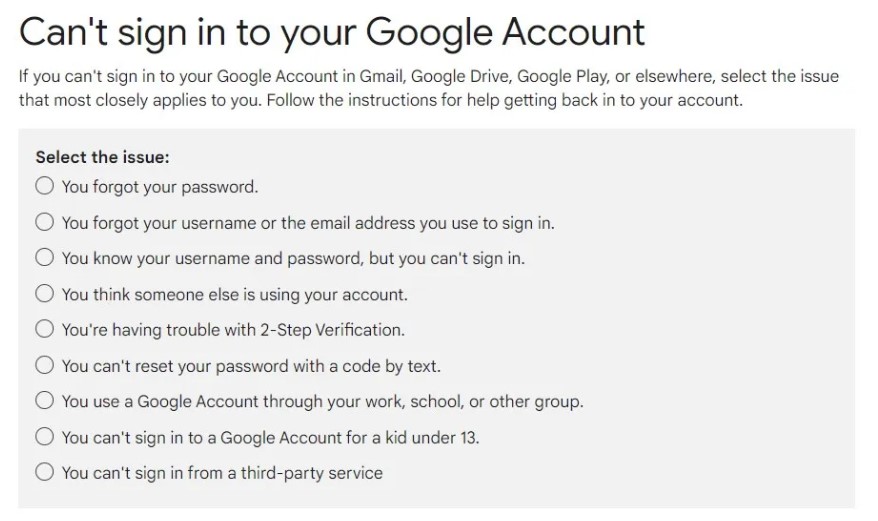
The routes, in order of how well they work
| Route | Reliability |
|---|---|
| Prompt on a signed-in phone | Highest — tap Yes and you are in |
| Code to your recovery phone | High |
| Code to your recovery email | High |
| Backup codes you saved | High, if you still have them |
| Authenticator app code | High |
| Security questions and account details | Low — the fallback when nothing else is available |
Answering the questions well
If you reach the questionnaire, these matter:
- Give the last password you clearly remember, even an old one. Google checks against your password history.
- The account creation date can be approximate — month and year is enough.
- Answer everything you can. Skipping questions weakens the case; a wrong answer is better than none.
- Do not guess wildly. Repeated failed attempts make the system more cautious, not less.
If it fails, try again — but properly
Wait a few hours, then try from a device you have used with the account before. Repeating the same attempt immediately from the same unfamiliar setup will not produce a different answer.
If you think the account was compromised
Act in this order:
- Recover access first using the form above.
- Change the password to something unique.
- Sign out everywhere: myaccount.google.com/device-activity — review the list and remove anything unfamiliar.
- Check Gmail settings carefully. Attackers routinely add a forwarding address or a filter that deletes security emails, so you never see the warnings. Check Settings → Forwarding and POP/IMAP, and Filters and blocked addresses.
- Review third-party access: myaccount.google.com/permissions.
- Check recovery options have not been changed to an address you do not control.
- Run the Security Checkup: myaccount.google.com/security-checkup.
Step 4 is the one people skip, and it is how a “recovered” account gets taken again a week later.
Prevent the next time
Ten minutes now, on every account you care about:
- Add a recovery phone and a recovery email, and check they are current: myaccount.google.com/security. An old number you no longer have is the most common reason recovery fails.
- Save backup codes somewhere physical. Print them.
- Set up a passkey, which is both easier and more resistant to phishing than a password.
- Use a password manager, so the password is unique and you are not relying on memory.
- Keep a second signed-in device, which makes the phone-prompt route available.
No one can recover a Google account for you. Services and individuals advertising account recovery for a fee are running one of two things: a scam that takes your money, or a phishing operation that takes the credentials you hand over. Google has no back door, no priority queue, and no support line for consumer account recovery. The form is the only route.
If recovery genuinely fails
Sometimes it does, and it is worth being honest about that. If Google cannot verify you, the account is not recoverable.
What to do next:
- Create a new account and set up recovery properly this time.
- Update anything that used the old address for password resets — that is the urgent part, and it is easy to underestimate how many accounts depend on it.
- Tell your contacts, particularly if the account was compromised rather than merely locked.
- For a Workspace account — a work or school one — your administrator can reset it. Ask them; this route does exist.
Frequently asked questions
How long does recovery take?
Minutes if you have a phone prompt or a recovery code. Days if it goes to the questionnaire, and Google may ask you to wait before deciding.
What if I no longer have my recovery phone number?
Use the recovery email, backup codes, or the questionnaire. This is the most common reason recovery fails, which is why keeping the number current matters so much.
Can I recover a deleted account?
Sometimes, if it was recently deleted — try the same recovery form. After a certain period the data is gone permanently.
Does Google have a support phone number for this?
Not for consumer accounts. Any number claiming to be Google account support is a scam.
Why does it keep saying “Google couldn’t verify this account belongs to you”?
The signals do not add up to enough confidence. Try again from a device and network you have used with the account before, without a VPN, and answer more of the questions.