A program refuses to start and names a file such as api-ms-win-core-string-l1-1-0.dll or api-ms-win-core-heap-l1-1-0.dll. These api-ms-win-core files are part of the Universal C Runtime that ships with Windows, and the error nearly always means the runtime the program needs is missing or damaged — not that one individual file vanished.
That distinction matters, because it determines whether the fix works or quietly makes things worse.
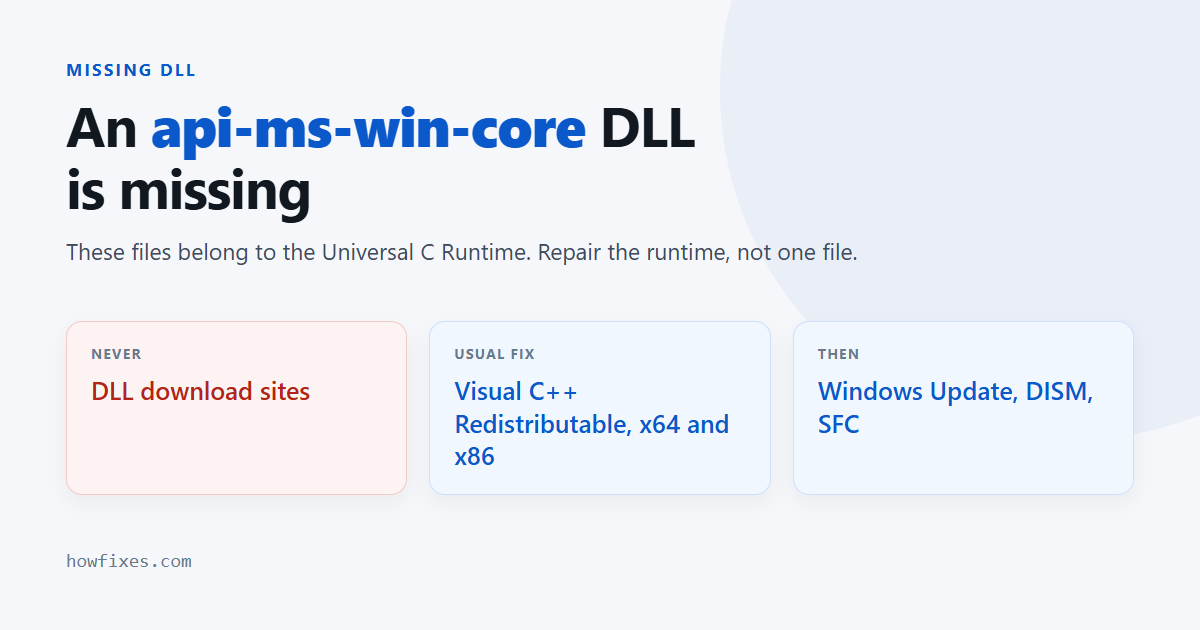
Do not download the file from a DLL download site. This is the single most important thing on this page. Those sites are a long-established malware channel, the files are unsigned and frequently the wrong version, and dropping a stranger’s copy into System32 does not repair a runtime — it leaves you with a mismatched file and a possible infection. Every fix below gets the file from Microsoft.
Checked October 2026. Applies to Windows 11 and Windows 10 22H2.
What these files actually are
They are API sets — thin forwarding stubs that let a program call a Windows function without binding to a specific system DLL. There are dozens of them, and they are installed and serviced as a unit by the Universal C Runtime. Individual api-ms-win-core files are not meant to be managed, copied or replaced by hand.
So when one is reported missing, the realistic causes are:
- The Visual C++ Redistributable the program depends on is not installed.
- Windows is missing updates, so the runtime was never delivered.
- The program’s own copy of the runtime did not install correctly.
- System file corruption.
- Antivirus quarantined part of the runtime.
Install the Visual C++ Redistributable
The fix in most cases, and it is an official Microsoft download.
- Get the latest Microsoft Visual C++ Redistributable.
- Install both the x64 and the x86 version. A 32-bit program on a 64-bit machine needs the x86 one, and this is the step people skip.
- Restart and try the program again.
If it is already installed, run the installer anyway and choose Repair.
Update Windows
The Universal C Runtime arrives through Windows Update. A machine that is behind can genuinely lack it.
Go to Settings → Windows Update and install everything offered, including optional quality updates, then restart. If updates themselves fail, work through the common Windows Update error codes first — this will not resolve until they install.
Repair the system files
From an elevated Command Prompt or Terminal:
DISM /Online /Cleanup-Image /RestoreHealth
sfc /scannow
DISM first, then SFC. SFC replaces missing or altered system files from the component store, which is the supported way to restore a Windows DLL — and it takes the file from Microsoft’s own cache rather than from the internet. Reboot afterwards.
Check the antivirus quarantine
Open your security software’s quarantine or protection history and look for anything matching the file name. False positives on runtime components are uncommon but they happen, and restoring the file is instant where it is the cause.
If you find one, restore it and add an exclusion for the program’s folder rather than leaving protection off.
Reinstall the program
Many applications bundle their own runtime and install it alongside themselves. If the installation was interrupted, that step may have been skipped.
- Uninstall from Settings → Apps → Installed apps.
- Restart.
- Install again from the developer’s own site, not a download portal.
- If the installer offers one, run it as administrator.
Which fix for which situation
| Situation | Start with |
|---|---|
| One program affected, others fine | Reinstall that program, then the redistributables |
| Several programs affected | Visual C++ Redistributable, then Windows Update |
| Started after a Windows update | DISM and SFC |
| Started after a virus scan | Check the quarantine |
| Fresh Windows install, nothing works | Windows Update first |
If nothing works
An in-place repair install rebuilds Windows while keeping your files and programs — mount the current ISO and run setup.exe from inside Windows, choosing to keep everything. See how to download the Windows 11 ISO, and what to do when Reset This PC fails.
Frequently asked questions
Can I just copy the DLL from another PC?
No. These files are versioned against the Windows build and the runtime they belong to. A copy from a different machine is as likely to produce a new error as to fix the old one, and it leaves the underlying runtime still broken.
Why do DLL download sites exist if they do not work?
Because the search demand is enormous and the pages monetise it. The files they serve are often genuine but mismatched, sometimes bundled with unwanted software, and occasionally outright malicious. There is no legitimate reason to use one.
Is this a virus?
Usually not. A missing runtime is the ordinary explanation. Worth a scan if the error appeared suddenly on a machine that was fine, but do not start there.
Do I need the x86 version on a 64-bit PC?
Yes, if any 32-bit program is involved — which is most older software. Installing both costs nothing and removes a whole class of failure.
Which api-ms-win-core file is the important one?
None of them individually. They are installed and serviced as a set, so the file the error names tells you which call the program made, not which file to go and find. Fix the runtime and every api-ms-win-core file comes back together.