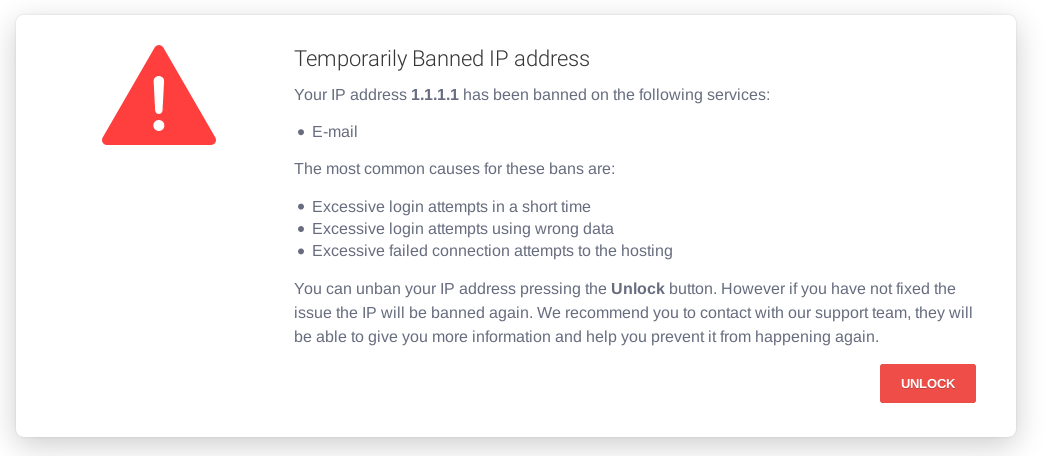
“Your IP has been temporarily blocked” means a website or service has decided that traffic from your connection looks like abuse and has stopped answering it. The word that matters is temporarily: most of these blocks lift on their own, usually within minutes to a day.
This guide explains why it happens, what actually clears it, and — importantly — which commonly recommended fixes make things worse.
Why your IP gets blocked
Almost every block is automatic. Something in the traffic tripped a threshold:
- Too many failed logins. The most common single cause. Several wrong passwords in a row on a site, a mail server, or an FTP account.
- Too many requests too quickly. Refreshing repeatedly, a page that retries in the background, or a browser extension polling an API.
- A shared IP address. On mobile data, a university network or an office, hundreds of people share one public IP. Someone else’s behaviour gets you blocked.
- VPN or proxy address. Many services block whole ranges belonging to VPN providers, because abuse arrives through them disproportionately.
- Geographic blocking. Some services simply do not serve some countries.
- Malware on your network. An infected device sending spam or scanning gets the whole connection listed.
- A firewall rule at the destination, such as Cloudflare or a WordPress security plugin, matching something in your request.
First: wait
Genuinely. A temporary block is usually 15 minutes to 24 hours, and the timer often restarts every time you retry. Refreshing repeatedly is the single most effective way to stay blocked.
Make a cup of tea, come back in an hour, and try once.
Work out whether it is you or the network
Before changing anything, find out how wide the problem is:
- Try another device on the same network. Still blocked? It is the IP address, not your machine.
- Try your phone on mobile data with wi-fi off. Works? Confirms the block is on your home connection’s IP.
- Try a different site. Only one site blocked means one site’s firewall. Everything blocked means a network or DNS problem, not a block at all.
Find your public IP by searching for what is my IP. You will need it if you have to contact anyone.
Get a new IP address
Most home connections use dynamic addresses, so a new one is often a router restart away:
- Unplug the router from power.
- Wait at least 5 minutes. A quick off-and-on usually returns the same address — the lease has to expire.
- Plug it back in and check your public IP again.
If it has not changed, your ISP may have given you a static address, or the lease is longer than you waited. Some providers will release it if you ask.
On a phone, switching flight mode on and off, or turning mobile data off and on, usually gets you a different carrier address immediately.
Clear the local side
Sometimes the block has already lifted and your own machine is still caching the refusal.
- Clear cookies for the site. Some blocks are enforced by cookie, not by IP — in which case a private window gets you straight back in.
- Flush the DNS cache. On Windows, in an elevated Command Prompt:
ipconfig /flushdns - Try a different browser to rule out an extension.
Change your DNS server
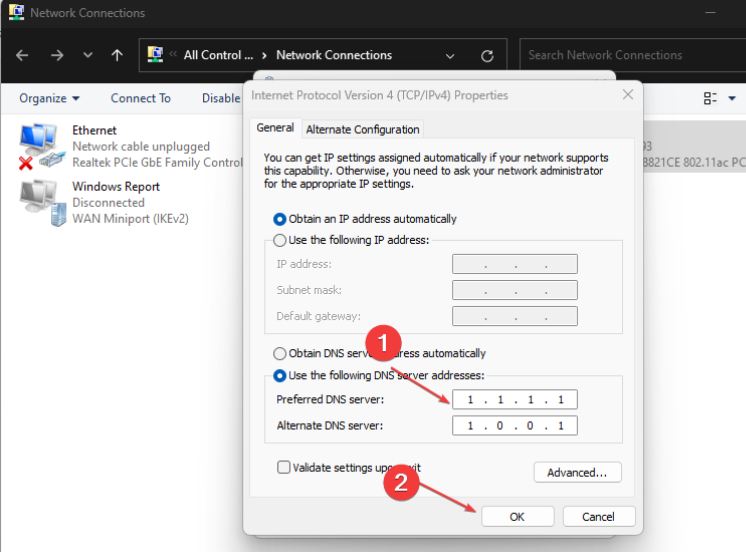
This does not change your IP address, so it will not lift a real block. It does help when the site is actually being blocked by your ISP’s DNS filtering — which produces a similar-looking error.
Windows: Settings → Network & internet → your connection → Edit next to DNS server assignment → Manual → turn on IPv4.
| Provider | Primary | Secondary |
|---|---|---|
| Cloudflare | 1.1.1.1 | 1.0.0.1 |
| 8.8.8.8 | 8.8.4.4 | |
| Quad9 | 9.9.9.9 | 149.112.112.112 |
Then run ipconfig /flushdns.
Check for malware on your network
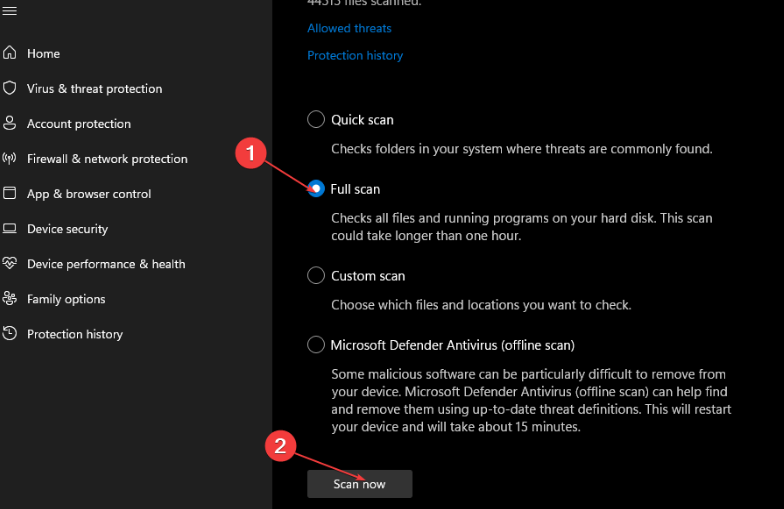
Repeated blocks across unrelated services are a warning sign. An infected machine sending spam or scanning will get your address listed on shared blocklists.
- Open Windows Security → Virus & threat protection → Scan options.
- Run a Full scan, and then Microsoft Defender Antivirus (offline scan).
- Check every device on the network, not just the computer — cameras, smart plugs and old phones are common culprits and never get scanned.
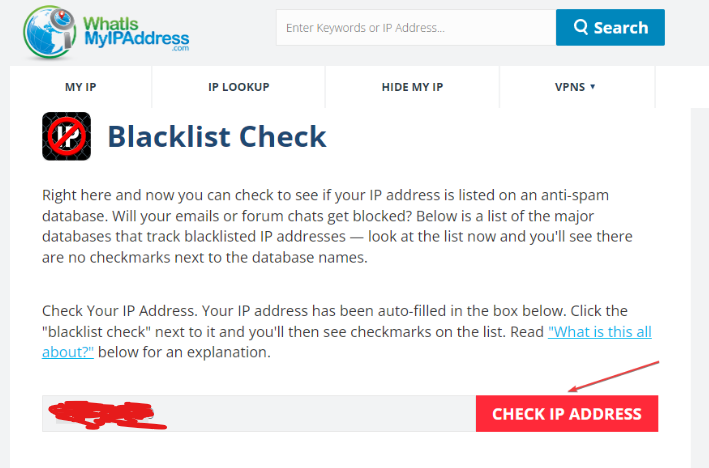
Check whether your IP is on a blocklist
Public blocklist checkers will tell you whether your address is listed and, usually, by whom. If it is, follow that list’s own delisting procedure — most have one, and it is generally free. Fix the cause first, or you will be relisted within days.
About using a VPN
A VPN changes the address that services see, so it does often get you past a block immediately.
Two caveats worth knowing before you rely on it. First, many services block known VPN ranges outright, so you may swap one block for another. Second, if you are blocked from an account you own — a bank, a game, a marketplace — logging in from a sudden new country is exactly what those systems watch for, and it can escalate a temporary block into a locked account. For your own accounts, contact support instead.
When to contact someone
Contact the website if it is one site and you have a legitimate reason to be there. Most have an appeals or support address, and an automated block is usually lifted quickly once a human looks. Include your public IP address, the exact message, and the time it happened.
Contact your ISP if you cannot get a new address, if the block follows you across many services, or if you suspect your address was already listed when it was assigned to you.
Frequently asked questions
How long does a temporary IP block last?
Typically 15 minutes to 24 hours. Rate-limit blocks often clear in minutes; failed-login blocks tend to be an hour or a day. Retrying repeatedly can restart the timer.
Will restarting my router definitely change my IP?
Only on a dynamic connection, and only if the lease expires. Leave it off for at least five minutes. Some ISPs keep an address assigned to a customer for weeks regardless.
Does a VPN remove an IP block?
It gets you a different address, which usually works. But many services block VPN ranges, and using one to reach your own account can trigger additional security checks.
Why am I blocked when I have not done anything?
Most likely a shared address. On mobile data, campus or office networks, one public IP covers many users, and somebody else’s behaviour is attributed to all of them.
Is being IP blocked the same as being banned?
No. An IP block is against an address and is usually automatic and temporary. A ban is against an account and is deliberate. If you are blocked but can sign in from another connection, it was the address.
Can I be blocked for using an ad blocker?
Not usually by IP. Some sites detect blockers and refuse to show content, which reads similarly but is a different mechanism and is per-browser, not per-address.