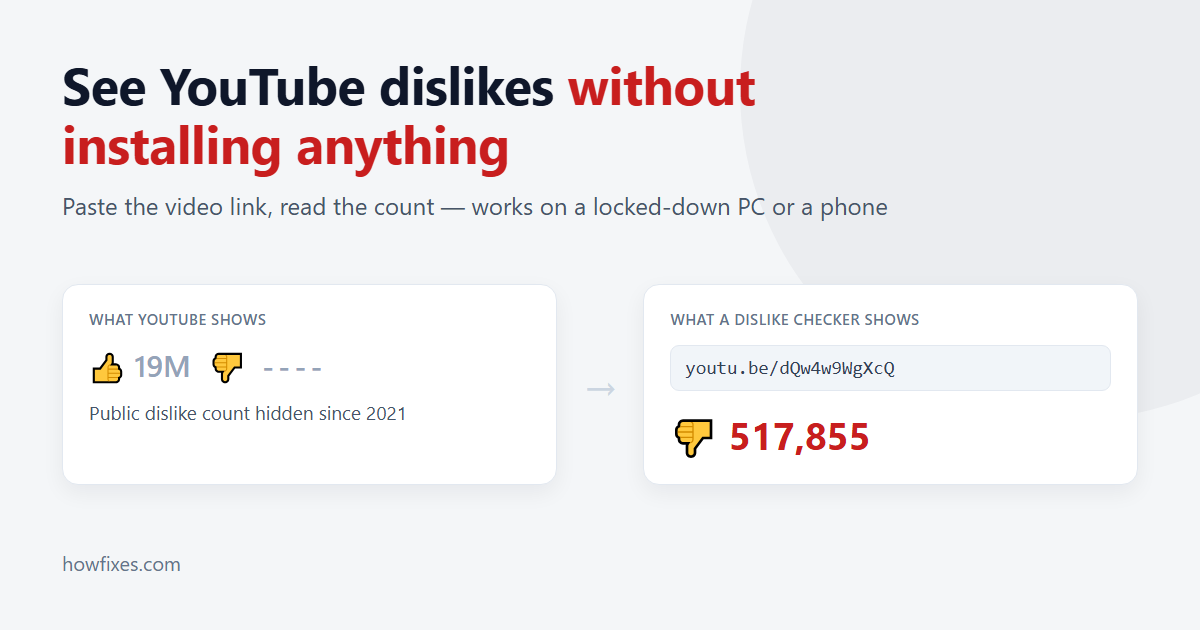
YouTube hid the public dislike count in November 2021, and the change stuck. Open any video today and you get a like count on its own, which tells you how many people enjoyed it but nothing at all about how many did not. On a tutorial that no longer works, a driver fix that bricks something, or a product review that reads suspiciously well, that missing number is exactly the one you wanted.
Most guides answer this with “install an extension”. That is a fine answer on your own laptop and a useless one on a work machine with a locked-down browser, a school Chromebook, or a phone. This guide covers both routes, starting with the one that needs no installation at all.
Why the dislike count disappeared
YouTube’s stated reason was targeted dislike campaigns: organised groups piling dislikes onto a video to bury it. Rather than remove the button, the platform kept it and hid the total. Creators can still see their own dislike numbers in YouTube Studio; everyone else sees nothing.
That detail matters for what follows. Because the button still exists and the data still exists, the counts you can look up today are not invented — they come from an archive of the public numbers gathered before the change, kept up to date since. It also explains the limits, which we will get to.
Method 1: Use a dislike checker website (no install)
The quickest route is a web tool that takes a video link and returns the count. Nothing is installed, nothing is added to the browser, and it works the same on Windows, macOS, Android and iPhone.
- Copy the video address. On desktop that is the URL in the address bar; on the mobile app, tap Share then Copy link.
- Open the YouTube dislike checker and paste the link into the box.
- Read the result. You get the dislike count, the like count and the ratio between them, along with the video title and channel so you can confirm you looked up the right thing.
Any of the usual link formats will do — the full youtube.com/watch?v= address, a short youtu.be/ link, a /shorts/ URL, or just the eleven-character video ID on its own. That last one is useful when you are typing from a screenshot.
The trade-off is that this is a per-video lookup. It answers “what does this one video score” very well, and it does nothing while you are browsing normally.
Method 2: Install a browser extension
If you can install software, an extension is the better daily driver. It puts the number back where it used to be, next to the like button, on every video you open — no copying links, no second tab.
YouTube Dislike Counter is a free one that runs on Chrome, Edge and Firefox and works on Shorts as well as standard videos. Two practical notes from installing it on a test machine:
- Refresh once after installing. Tabs that were already open keep running the old page code, so a video you had open before the install will look unchanged until you reload it.
- Allow it in Incognito if you use private windows. Extensions are switched off there by default, which is a common reason people think the counter has broken. Our guide to using Chrome extensions in Incognito mode covers the setting.
Which method fits your situation
| Situation | Dislike checker website | Browser extension |
|---|---|---|
| Work or school PC where you cannot install anything | Yes | No |
| Phone or tablet, YouTube app | Yes, via Share > Copy link | No (mobile Chrome has no extensions) |
| Your own desktop, browsing normally | Works, but manual each time | Yes, shows automatically |
| Checking one specific video quickly | Yes | Yes |
| Seeing counts on Shorts | Yes | Yes |
| Someone else’s computer | Yes, leaves nothing behind | Not worth installing |
How accurate are these numbers?
Worth being straight about this, because a number with no caveats invites too much trust. For videos published before late 2021, the archived counts are the real public totals YouTube itself was showing, so they are accurate. For newer videos, and for votes cast after the change, the figures are estimates built from a sample of users who vote through these tools, scaled up.
In practice that means the order of magnitude is reliable and the last few digits are not. A video showing 40,000 dislikes against 12,000 likes is genuinely disliked; whether it is 40,102 or 41,800 does not change your decision. Treat the ratio as the signal and the exact figure as an approximation. There is more detail on how the data is collected and where it is weakest if you want the full picture before relying on it.
What does not work
A few approaches come up repeatedly and are worth ruling out:
- Signing in to a “dislike viewer” site. No legitimate tool needs your Google account to read a public video’s statistics. A site asking you to log in with Google is after the account, not the count.
- The official YouTube Data API. It still returns a
dislikeCountfield for compatibility, but it has read zero for every video since the change. Scripts built on it look like they work and quietly report nothing. - Old page-source tricks. Guides suggesting you search the page HTML for the number are left over from before 2021. The value is no longer sent to the browser.
FAQs
Can I see dislikes on the YouTube mobile app?
Not in the app itself, and there are no extensions on mobile Chrome. Copy the video link with Share > Copy link and paste it into a dislike checker in your phone’s browser.
Does my own dislike still count for anything?
Yes. The button works and the vote reaches the creator’s YouTube Studio analytics — it is only the public display that was removed.
Can I find out who disliked a video?
No, and no tool can. YouTube has never made individual votes public; only totals were ever shown.
Is using a dislike checker against YouTube’s rules?
No. Reading a public statistic about a public video breaks nothing, and these tools do not alter YouTube or touch your account.
Conclusion
You have two working options and the right one depends on where you are. On a machine you control, an extension puts the dislike count back permanently and you stop thinking about it. Everywhere else — a work PC, a borrowed laptop, a phone — pasting the link into a dislike checker gets you the same answer in a few seconds with nothing installed.
Either way, read the ratio rather than the exact figure, and be sceptical of anything that asks you to sign in to see a public number.