If wmic suddenly answers with “‘wmic’ is not recognized as an internal or external command”, nothing is broken. With WMIC removed from Windows 11 in 2026, the command-line tool is gone and cannot be reinstalled as an optional feature. Every query it used to answer still works — you just ask PowerShell instead.
This guide explains what was removed and what was not, then gives a direct replacement for each WMIC command people actually use: serial numbers, product keys, disk health, installed programs and more.
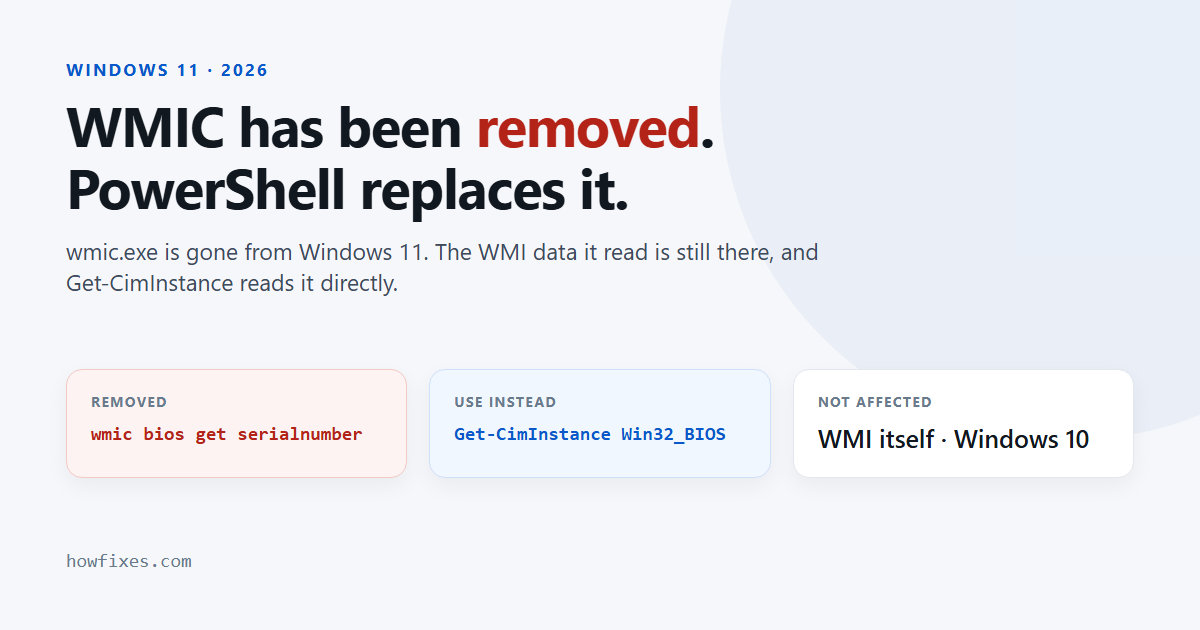
Checked September 2026. Applies to Windows 11 versions 24H2, 25H2 and 26H1. Windows 10 still includes WMIC.
What exactly was removed?
Microsoft deprecated WMIC in Windows 10 version 21H2 and turned it into an optional feature in Windows 11. In 2026 it went the rest of the way. According to Microsoft’s removal notice, the tool was removed from Windows 11 24H2 and 25H2 by the August 2026 optional preview update and reached every PC with the September 2026 security update. Windows 11 26H1 never shipped with it.
Two points matter more than the dates:
- WMI itself is untouched. Windows Management Instrumentation — the system that stores hardware and configuration data — is still a core part of Windows. Only
wmic.exe, one way of reading it, has gone. - It is not coming back through Optional features. Searching Settings → System → Optional features for WMIC finds nothing on an updated PC, and DISM cannot add it either.
Why remove it at all? WMIC was one of the most abused built-in tools in ransomware attacks: a signed Microsoft program that could query and change almost anything, including deleting the shadow copies that System Restore relies on. Removing it takes that option away from attackers.
WMIC commands and their PowerShell replacements
Open Windows PowerShell or Terminal — no administrator rights are needed for any of the queries below.
| What you want | Old WMIC command | PowerShell replacement |
|---|---|---|
| Serial number | wmic bios get serialnumber |
Get-CimInstance Win32_BIOS | Select-Object SerialNumber |
| Make and model | wmic csproduct get name |
Get-CimInstance Win32_ComputerSystem | Select-Object Manufacturer, Model |
| Embedded product key | wmic path softwarelicensingservice get OA3xOriginalProductKey |
(Get-CimInstance SoftwareLicensingService).OA3xOriginalProductKey |
| Processor | wmic cpu get name |
Get-CimInstance Win32_Processor | Select-Object Name, NumberOfCores |
| Memory modules | wmic memorychip get capacity |
Get-CimInstance Win32_PhysicalMemory | Select-Object Manufacturer, Capacity, Speed |
| Disk health | wmic diskdrive get model,status |
Get-PhysicalDisk | Select-Object FriendlyName, MediaType, HealthStatus |
| Free space per drive | wmic logicaldisk get caption,freespace,size |
Get-Volume |
| Windows version and build | wmic os get caption,version |
Get-CimInstance Win32_OperatingSystem | Select-Object Caption, Version, BuildNumber |
| Motherboard | wmic baseboard get product,manufacturer |
Get-CimInstance Win32_BaseBoard | Select-Object Manufacturer, Product |
| Graphics card | wmic path win32_videocontroller get name |
Get-CimInstance Win32_VideoController | Select-Object Name, DriverVersion |
| Installed updates | wmic qfe list |
Get-HotFix |
| Startup programs | wmic startup get caption,command |
Get-CimInstance Win32_StartupCommand | Select-Object Name, Command |
| Battery charge | wmic path win32_battery get estimatedchargeremaining |
Get-CimInstance Win32_Battery | Select-Object EstimatedChargeRemaining |
| User accounts and SIDs | wmic useraccount get name,sid |
Get-LocalUser | Select-Object Name, SID |
| End a process | wmic process where name="notepad.exe" delete |
Stop-Process -Name notepad |
| Rename the PC | wmic computersystem where name="%computername%" call rename name="NEW-PC" |
Rename-Computer -NewName "NEW-PC" -Restart (as administrator) |
A few of these have their own guides with more detail: renaming a PC, finding a MAC address and checking SSD health.
Listing installed programs: avoid Win32_Product
wmic product get name was always a bad way to list software, and its direct PowerShell translation — Get-CimInstance Win32_Product — inherits the problem. Querying that class makes Windows Installer run a consistency check on every MSI-installed program, which is slow and can trigger repairs you did not ask for.
Read the uninstall entries in the registry instead, which is what Installed apps in Settings does:
Get-ItemProperty HKLM:\Software\Microsoft\Windows\CurrentVersion\Uninstall\*,
                 HKLM:\Software\WOW6432Node\Microsoft\Windows\CurrentVersion\Uninstall\*,
                 HKCU:\Software\Microsoft\Windows\CurrentVersion\Uninstall\* |
  Where-Object DisplayName |
  Select-Object DisplayName, DisplayVersion, Publisher |
  Sort-Object DisplayName
Fixing batch files that call WMIC
A .bat or .cmd script does not have to be rewritten in PowerShell. Call PowerShell for the one line that used WMIC and keep the rest:
for /f "usebackq delims=" %%s in (`powershell -NoProfile -Command "(Get-CimInstance Win32_BIOS).SerialNumber"`) do set SERIAL=%%s
echo Serial number: %SERIAL%
Three things trip people up when converting:
- Use
-ExpandPropertyor the(...).Propertyform when a script needs the bare value.Select-Objectalone returns a small table with a header line. - Prefer
Get-CimInstanceoverGet-WmiObject. The older cmdlet still works in Windows PowerShell 5.1 but does not exist in PowerShell 7, so scripts built on it break when moved. - Remote queries use WinRM by default.
Get-CimInstance -ComputerName PC01 Win32_BIOSneeds PowerShell remoting enabled on the target. For older machines that only answer over DCOM, create a session withNew-CimSession -ComputerName PC01 -SessionOption (New-CimSessionOption -Protocol Dcom).
If PowerShell itself is new to you, our comparison of PowerShell and Command Prompt explains the differences that matter here.
What about software that still needs WMIC?
Some older installers, licence checks and vendor tools call wmic.exe internally and fail without it. The right fix is an updated version from the vendor. For organisations stuck with a tool they cannot replace yet, Microsoft publishes a temporary package on the removal notice linked above, with a clear warning that it is not a secure, long-term solution. Do not download a wmic.exe from anywhere else: a copy of a removed system binary from a random site is exactly the kind of file attackers use.
Frequently asked questions
Why does it say “wmic is not recognized”?
Because the program no longer exists on the PC. The message is the standard response to any command Windows cannot find, and it appears once the August or September 2026 update is installed.
Can I reinstall WMIC from Optional features?
No. The optional feature was withdrawn along with the tool. Only Microsoft’s temporary package, intended for organisations, restores it.
Is Windows Management Instrumentation also gone?
No. WMI is still fully supported; PowerShell’s CIM cmdlets read the same classes WMIC did, such as Win32_BIOS and Win32_Processor.
Is WMIC removed from Windows 10 too?
No. Windows 10 still includes it, although it has been deprecated since 2021. Scripts that need to run on both should use PowerShell anyway.
With WMIC removed, the table above covers the everyday queries; for anything else, the pattern is the same — find the Win32_ class the old command used and pass it to Get-CimInstance.